Finding and dealing with battery leakage/corrosion
Last updated
April 15, 2024
A common problem with jukeboxes (Rowe/AMI, Seeburg, and Rock-Ola models from the 80's), pinball, video games, portable computers, and electronic devices using Alkaline or Nickle-Cadmium (Ni-Cad) batteries is the situation with battery leakage.
The following neutralizing advice does not apply to zinc-carbon batteries which are mildly acidic and as such are neutralized with a base such as baking soda - this type of battery was rarely used in arcade games, only Seeburg used them in their late 45RPM jukeboxes as far as I know (2 C-cells), so for the most part follow the instructions for alkaline batteries as outlined below.
 |
|
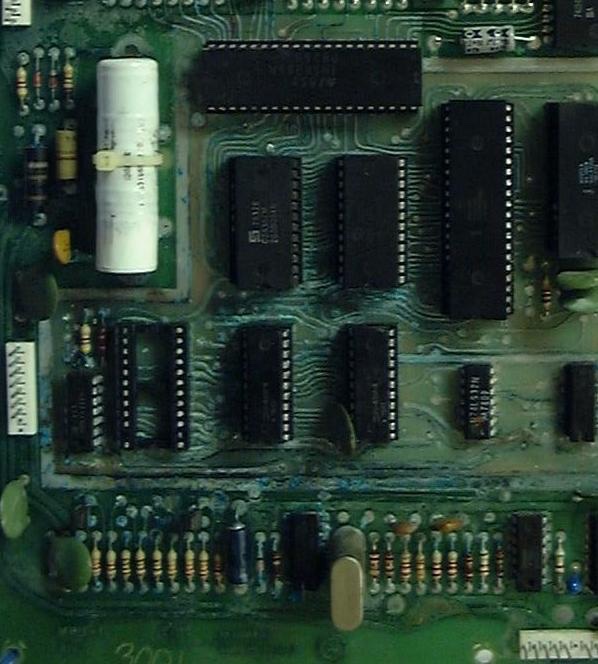
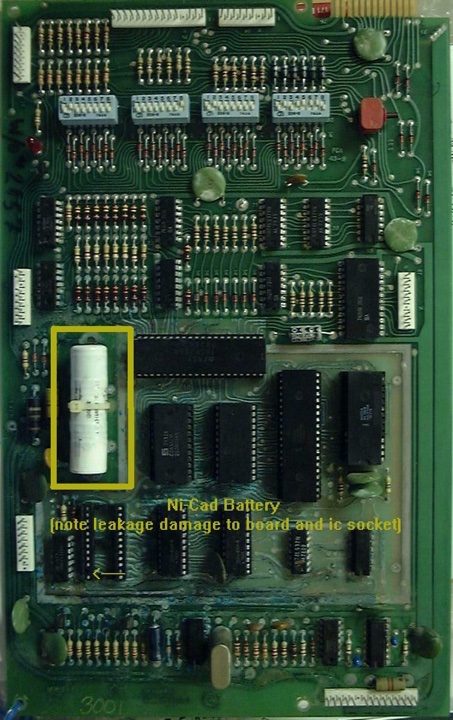
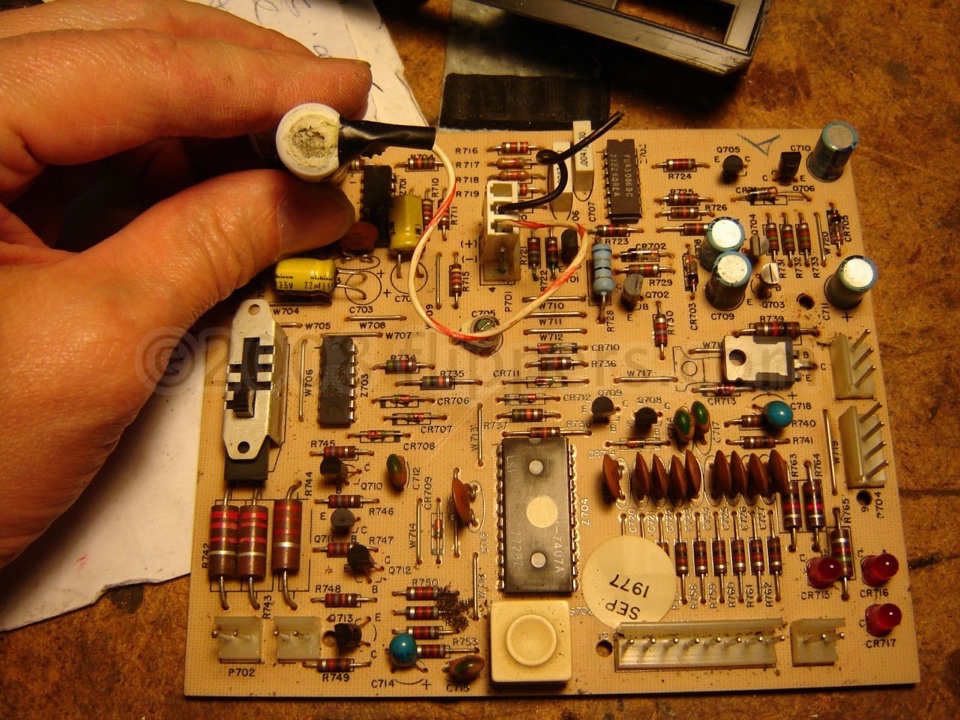
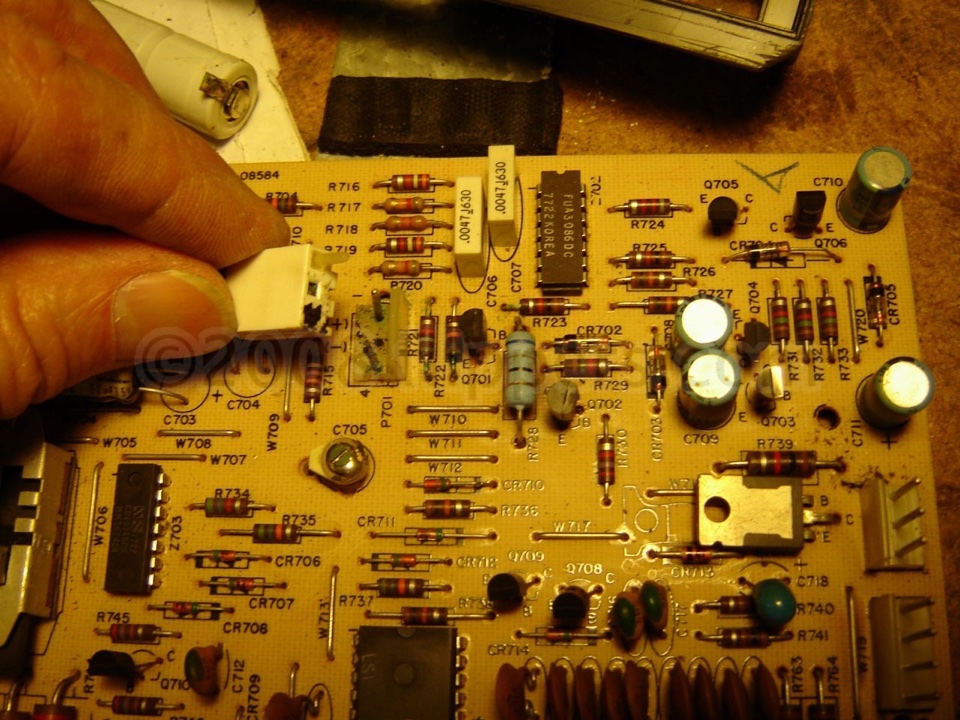
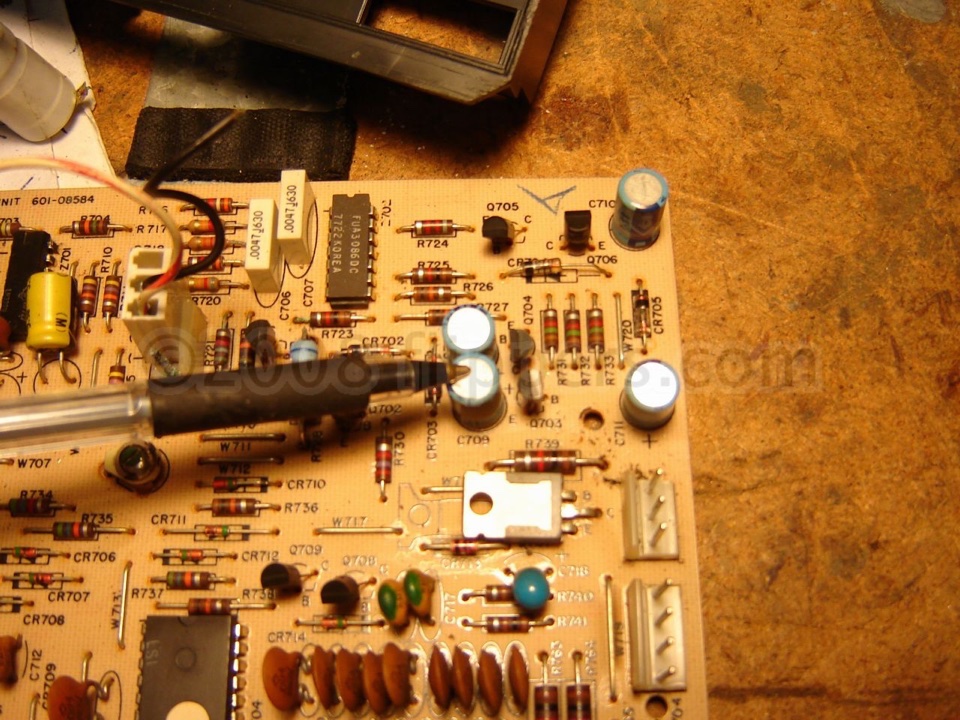
What happens is, your battery (that is hiding somewhere in the game) gives up the ghost, and unfortunately, as it dies, leaks out an alkaline: Potassium Hydroxide. This is a corrosive base, much like lye. The way to neutralize the leakage, after removing the battery, is to wash the affected area with a solution containing a 50/50 mixture of (white) vinegar and pure water. Scrub carefully with a good toothbrush, and then rinse with pure water and force dry with a hair dryer. Here is a picture of typical corrosion on a Game Plan pinball MPU. Note the crusty crud on the circuit traces and the corroded legs of the components. This board is salvageable by our shop. |
You should consider replacing any IC sockets that were near the battery or that you see any signs of corrosion-usually a white residue near or under the IC socket. Also the components that are near the battery must be examined for signs of corrosion on the leads. This corrosion can etch into the interior of the plastic body of the electronic components and hence cause destruction, months or years later.
Now, if you have saved your game board you will want to remove the battery premantently if possible and replace the memory IC with a NVRAM replacement. NVRAM stands for Non-Volatile RAM and these modern devices replace most 5101s, 6116, 6264, or 62256 CMOS RAM used in pinballs and other arcade machines. So far as I know the only games that can't use the 5101 NVRAM are Gottlieb System 1 MPUs and Atari's Superman or Hercules games. for these I recommend that if the game is actively used, then a new Ni-Cad battery will work fine, as it will be kept charged, although it is recommended that you consider extending the wires, and placing the battery in a 'Zip-Lock' style baggy to protect the game from future leakage.
If the game is to be used on a more casual basis, then either operate the game without a battery or get a battery holder that will equal the original voltage when stocked with AA batteries, and extend the wires so the batteries can sit on the base of the area where the board is. Then seal the battery assembly in a "Zip-Lock" style bag so if the batteries leak the vapors and liquid will be confined to the bag! You will need to isolate the battery assembly from the original charging circuit by the use of an isolation diode (1N4002). The ground wire of the battery assembly goes to the original ground for the battery and the positive wire will first be connected to the non-banded end of the isolation diode, then the banded end of the diode can be soldered to the original positive point for the battery.
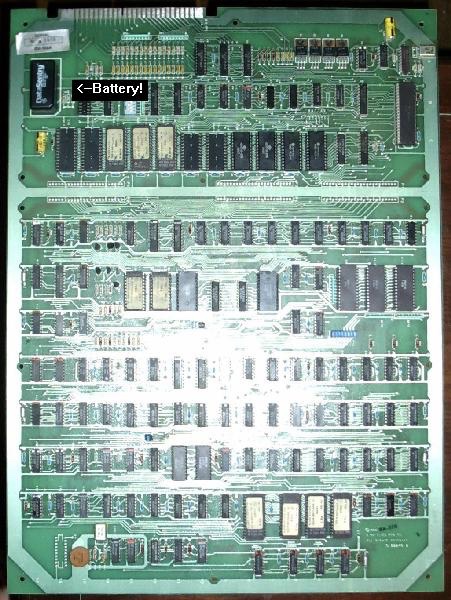
Battery locations for various games:
Note, any pictures of the battery on the board and game names that you can add to this list, please email me
ALLIED LEISURE PINBALL
None used batteries
ATARI PINBALL
Only Superman and Hercules used batteries, 3 "AA", not NVRAM compatable at present.
ATARI VIDEO
Pole Position
BALLY PINBALL
1976-1985
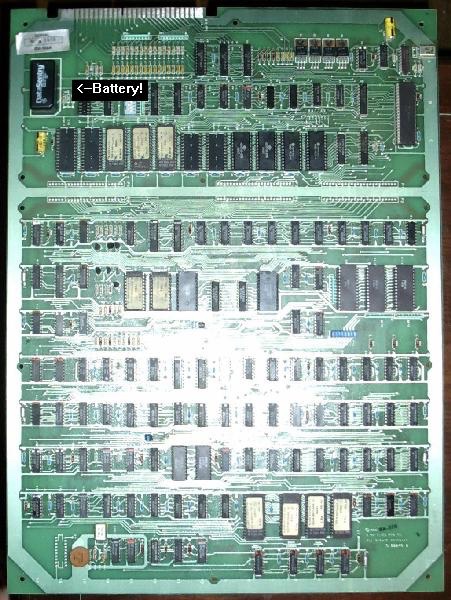
1986-1993
CAPCOM & DATA EAST PINBALL
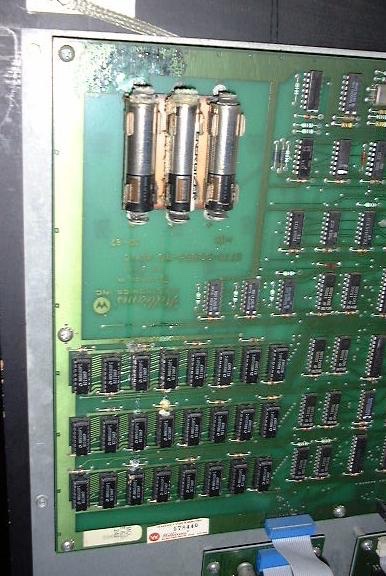
All Capcom pinballs use three "AA" batteries
GOTTLIEB PINBALL
System 1 not NVRAM compatable at present
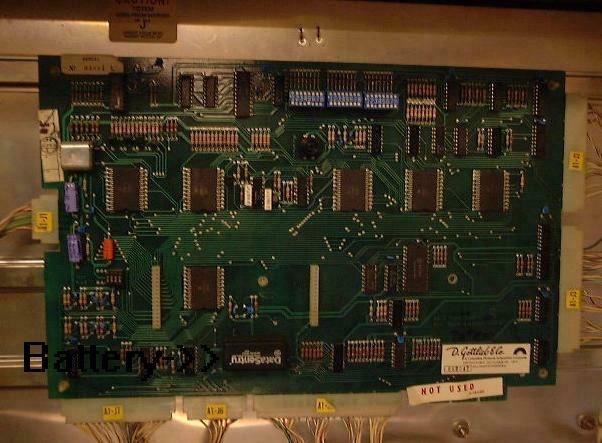
System 80/80A/80B
System 3 - use lithium batteries, these don't leak and have at least a ten year life
GOTTLIEB VIDEO
Reactor
Q-Bert
GAME PLAN PINBALL
All games use Ni-Cads, check yearly (156K JPEG)
INTERFLIP PINBALL
Alaska
MIDWAY VIDEO Omega Race (mounted on main board MUST be removed!)
Tron - on power supply board, needs removal!
RECEL PINBALL
Crazy Race, Mr. Evil, and all other System 3 games all used a Ni-Cad battery - Replace!
SEGA PINBALL
All games use 3 "AA" batteries, should be changed once a year, with the power on so you don't loose settings and book-keeping information.
SONIC (DBA) SEGASA PINBALL (Spain)
Solid State games?
STERN PINBALL
All Electronic pins are the same as Bally 1976-1985
WILLIAMS PINBALL
All digital (glowing displays!) games use 3 "AA" batteries, should be changed once a year, with the power on so you don't loose settings and book-keeping information.
WILLIAMS VIDEO
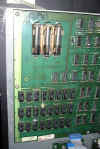
Defender, Stargate, Bubbles, Joust, Sinistar, Robotron, - All games use 3 "AA" batteries, should be changed once a year, with the power on so you don't loose settings and book-keeping information. NVRAM suitable replacements available.
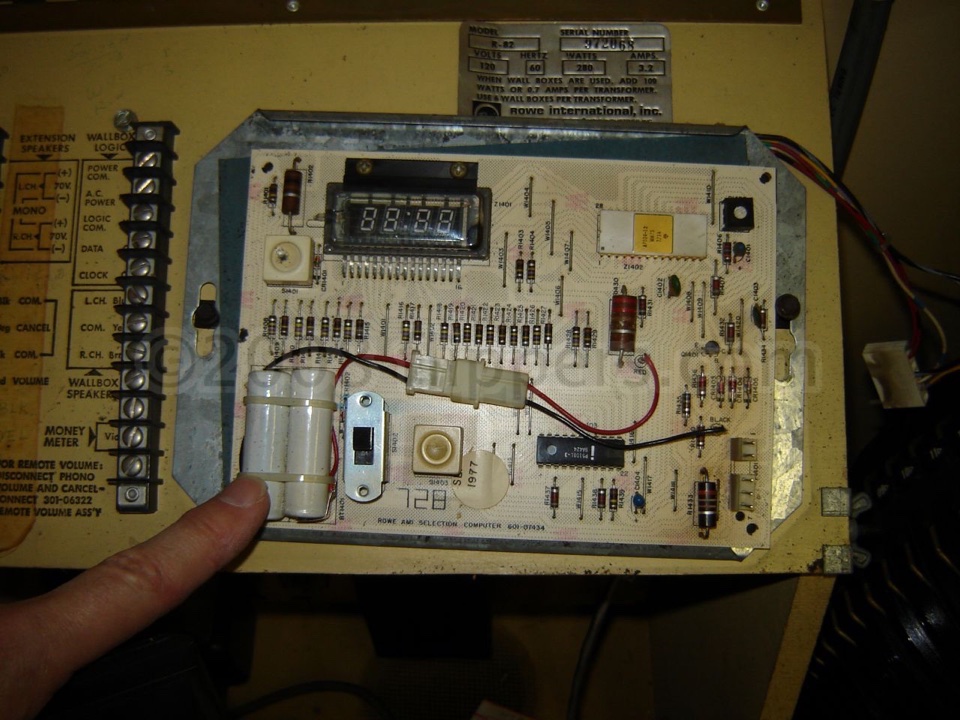
ROWE/AMI Jukeboxes
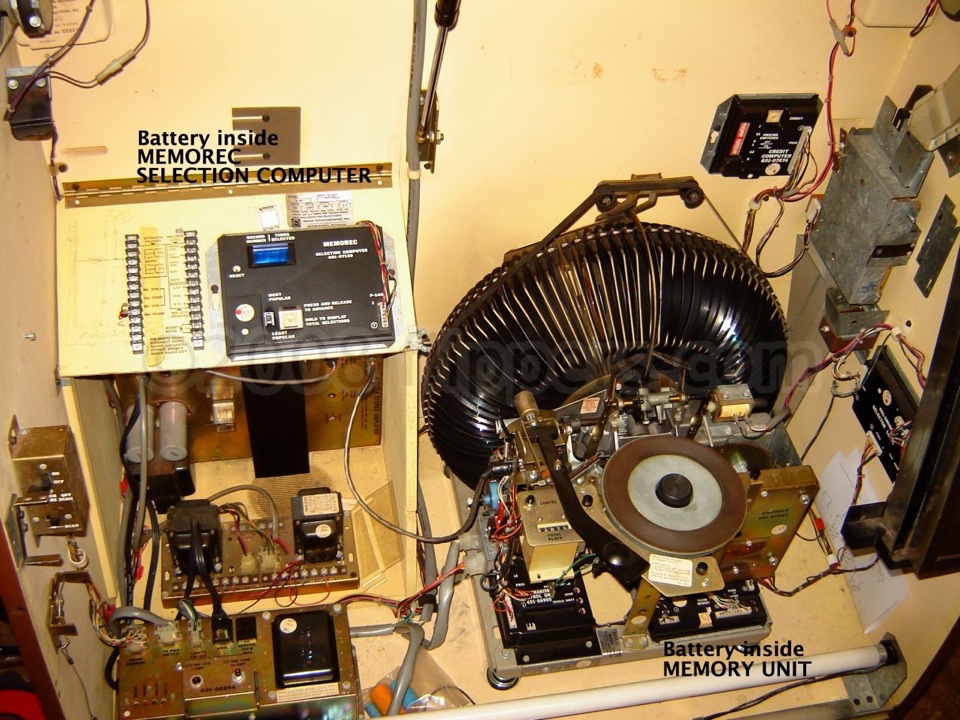
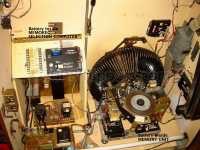 R82(/83? /84? /81?) model has TWO batteries - one in the MEMOREC Selection Computer and the second in the MEMORY UNIT under the record player . Corrosion and bad caps need to be looked at too...
Seeburg Jukeboxes
SMC series jukeboxes have two C cells in the MCU box behind the keyboard, also the SCD series used batteries!
Wurlitzer Jukeboxes
Post-1985 German models used a battery on the SC&C Computer
Zaccaria Pinballs
Solid State pinballs, many had a battery on the MPU board - remove it!
More Information...
- Kev (mowerman) has put a page up on batteries as well, Battery University!
- Macintosh computers used Lithium batteries - Clay Cowgill said: "Baking soda is actually the right call here— Macs largely used lithium primary cells for their clock backups. If/when the lithium salts in the cell meets moisture from the air one of the byproducts is hydrogen fluoride… When *that* mixes further with water vapor you get hydrofluoric acid (which is pretty damn nasty stuff)! Buy used Macs from dry, desert climates!"
|
 Flippers.com
 Click here to order Parts